TL;DR
Listen free for 30 days with Audible
Thousands of audiobooks and originals — cancel anytime.
Start your free trialAs an affiliate, we earn on qualifying purchases.
Cleaning a home office effectively involves decluttering, protecting electronics, and following a top-to-bottom routine with specific tools and schedules. Proper cleaning reduces dust, improves air quality, and makes your workspace safer and more inviting.
Think about the last time you truly cleaned your home office. Was it just a quick surface wipe, or did you tackle dust, clutter, and those stubborn keyboard crumbs? A clean workspace isn’t just about looks. It’s about creating a healthier environment that supports your focus and protects your devices.
In this guide, you’ll learn the step-by-step process to clean your home office the right way. No hype, no gimmicks—just practical tips to reduce dust, improve air quality, and keep everything working smoothly. Ready to transform your cluttered corner into a sanctuary of productivity?
Always start by decluttering to make cleaning more effective and less frustrating.
Use microfiber cloths and work from top to bottom to trap dust and prevent re-soiling surfaces.
Prioritize high-touch surfaces for disinfecting to reduce germ spread without overusing chemicals.
Maintain regular schedules—from daily quick tidies to monthly deep cleans—to keep your workspace fresh.
Pay attention to air quality by vacuuming, ventilating, and replacing filters to breathe easier.
Start by Decluttering: Clear the Clutter for Better Cleaning Results
The first step to a thorough clean is to clear out everything that doesn’t belong. Remove dishes, trash, and piles of papers. Sort documents into action, filing, recycling, or shredding. When your workspace is clutter-free, surfaces become easier to clean, and dust doesn’t hide behind stacks of paper.
For example, a cluttered desk can hide dust bunnies and crumb trails. Clearing it exposes surfaces and makes subsequent cleaning more effective. Plus, it’s motivating to see a tidy space that’s easier to maintain.
microfiber cleaning cloths for electronics
As an affiliate, we earn on qualifying purchases.
As an affiliate, we earn on qualifying purchases.
Protect Your Tech: Keep Electronics Safe During Cleaning
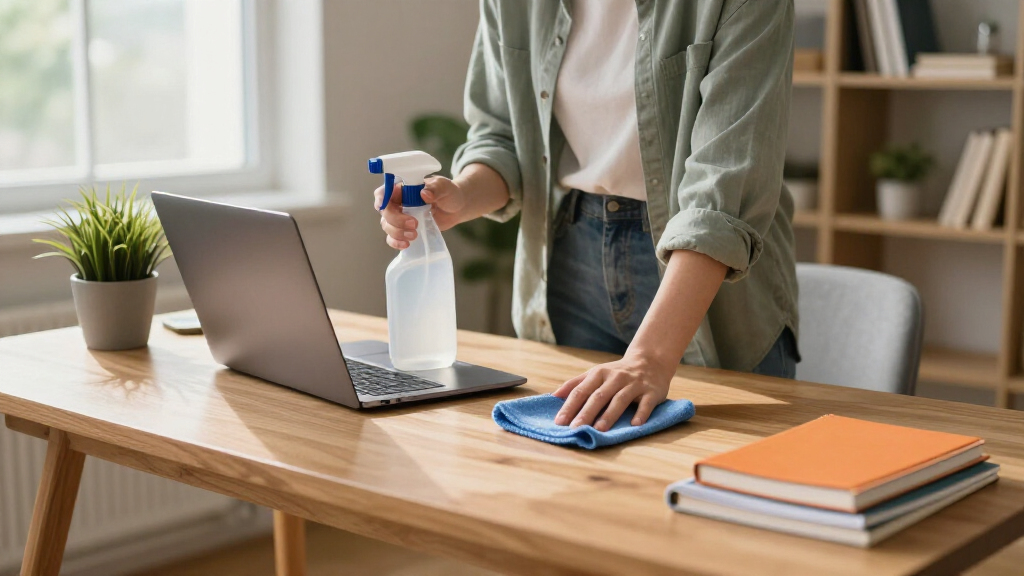
Electronics are the heart of your home office—protect them during cleaning. Always shut down and unplug devices like monitors, computers, and printers. Use a microfiber cloth to wipe screens—never spray liquids directly onto delicate surfaces.
For example, when cleaning your monitor, lightly dampen a microfiber cloth with water or a manufacturer-approved cleaner. This prevents moisture from seeping into ports or vents, which can cause damage or short circuits.
As an affiliate, we earn on qualifying purchases.
Clean from Top to Bottom: Why Gravity Matters in Your Routine
Start at the highest points—shelves, light fixtures, and window sills—and work your way down. Dust and debris fall downward, so cleaning from the top prevents re-contaminating lower surfaces. This method ensures you don’t spread dirt around or have to re-clean areas later, saving time and effort.
Imagine dust settling on your desk after cleaning the ceiling light if you don’t address it first. By tackling high surfaces early, you avoid having to revisit areas or deal with recontamination, which can prolong your cleaning routine and reduce its effectiveness.
As an affiliate, we earn on qualifying purchases.
Choose the Right Cleaning Products for a Safe, Effective Clean
Use microfiber cloths—they trap dust rather than scatter it. For most hard surfaces, mild soap and water or a gentle cleaner work well. Avoid abrasive cleaners, harsh solvents, or excessive moisture, which can damage screens, wood finishes, or electronics.
For example, a damp microfiber cloth on your wood desk removes dust without leaving streaks or damaging the finish. Remember, less is more—using too many or overly harsh cleaning products can cause buildup, damage delicate surfaces, or leave residues that attract more dirt over time. Choosing the right cleaner ensures your surfaces stay clean without unintended consequences.
desk organizer and decluttering tools
As an affiliate, we earn on qualifying purchases.
As an affiliate, we earn on qualifying purchases.
Disinfect High-Touch Areas Without Overdoing It
Disinfect only surfaces you touch often—keyboard, mouse, phone, light switches, and door handles. Use a registered disinfectant, following the label instructions. Always clean first, then disinfect, to remove dirt that can block disinfectant action.
For example, wipe your keyboard with a slightly damp microfiber cloth, then apply a disinfectant wipe to the keys for a quick germ-killing boost. Over-disinfecting everything can irritate skin, cause chemical buildup, and potentially damage sensitive electronics or surfaces. Focused disinfection on high-touch areas maintains a healthy environment without unnecessary chemical exposure.
Address Dust and Indoor Pollutants for Better Air Quality
Vacuum carpets and upholstered chairs regularly using a HEPA-filter vacuum. Damp-dust hard surfaces, including desk tops, window sills, and baseboards, to trap dust instead of spreading it into the air. Proper ventilation and fresh air exchange help keep indoor air healthy.
Dust and indoor pollutants can settle deeply into fibers and crevices, becoming a persistent source of allergens and respiratory irritants. Regular vacuuming with a HEPA filter traps these particles efficiently, preventing them from recirculating and reducing allergy symptoms. Damp-dusting prevents dust from becoming airborne again, which is especially important in enclosed spaces. Good ventilation ensures a continuous exchange of indoor air with fresh outdoor air, diluting pollutants and reducing mold growth, ultimately resulting in a safer, healthier workspace.
Reset Ergonomics After Cleaning to Boost Comfort
Once everything’s clean, take a moment to adjust your monitor, keyboard, and chair for comfort. Keep frequently used items within arm’s reach. Secure loose cables to prevent tripping hazards and ensure good airflow around vents.
Imagine finishing a clean-up and realizing your monitor is too high or your chair is uncomfortable. Small adjustments now make your workspace both cleaner and more comfortable for hours of work. Proper ergonomics not only improve comfort but also reduce strain and fatigue, leading to better focus and productivity throughout your workday.
Cleaning Routine: When and How Often to Keep Your Office Tidy
Establish a cleaning schedule tailored to your usage. Daily chores include removing trash, wiping spills, and tidying surfaces. Weekly tasks involve dusting, vacuuming, and disinfecting high-touch items. Monthly deep cleans cover vents, blinds, and behind furniture.
For example, vacuuming under your desk once a week prevents dust buildup that can aggravate allergies or respiratory issues. Deep cleaning vents monthly ensures proper airflow and reduces allergen accumulation, which is especially important if you share your space with pets or live in a polluted environment. Adjusting your schedule based on your environment and specific needs helps maintain a consistently healthy and efficient workspace.
Emerging Priorities: Focus on Air Quality and Electronics Care
Recent trends emphasize indoor air quality and electronics longevity. Good ventilation, clean filters, and responsible cleaning extend device life and reduce airborne pollutants. Use manufacturer instructions for electronics cleaning, avoiding harsh chemicals or excessive moisture.
For example, regularly replacing HVAC filters and using air purifiers can cut airborne dust and allergens, making your workspace healthier and more comfortable. Maintaining good air quality not only preserves your equipment but also reduces health risks associated with dust, mold, and other indoor pollutants, leading to a more productive and comfortable environment.
Common Mistakes and How to Avoid Them
Using too much cleaner leaves residue. Always follow product instructions. Mixing chemicals like bleach and ammonia creates dangerous fumes. Using high-powered compressed air incorrectly can embed dust deeper or damage components. Over-vacuuming with improper filters can circulate dust instead of removing it.
For example, avoid spraying harsh cleaners directly onto screens or electronics. Instead, use a damp cloth and manufacturer-approved products. Overusing chemicals or improper cleaning techniques can lead to damage, health hazards, or reduced effectiveness of your cleaning efforts. Being aware of these common mistakes and how to prevent them ensures your cleaning routine remains safe, effective, and preserves the longevity of your equipment.
Frequently Asked Questions
How often should I clean my home office?
Light tidying and surface wipes should happen daily. Dusting and floor cleaning are best weekly. Deep cleaning—like vents, carpets, and behind furniture—can be monthly or seasonally, depending on usage and environment.
Should I disinfect my desk every day?
Not necessarily. If you’re the only person using your office and you wash your hands regularly, daily disinfection isn’t required. Focus on high-touch areas like keyboards and phones, especially during illness or if sharing the space.
Can I use alcohol wipes on my computer screen?
Check your device’s manufacturer instructions first. Some screens are sensitive to alcohol or strong solvents, which can damage coatings. Usually, a dry microfiber cloth or manufacturer-approved cleaner works best and safest.
How do I prevent dust buildup on my keyboard?
Disconnect the keyboard, turn it upside down, and gently shake out loose debris. Use compressed air carefully if permitted, then wipe with a barely damp microfiber cloth. Regular cleaning prevents dust from accumulating and affecting performance.
What’s the best way to improve indoor air quality?
Vacuum with a HEPA filter, damp-dust surfaces, and replace HVAC or air purifier filters regularly. Keep windows open when possible, and use an air purifier to trap airborne particles, especially in dusty or polluted environments.
Conclusion
A clean home office isn’t just about appearance. It’s about creating a healthier, more efficient space that supports your workday. Focus on a smart routine—declutter, protect electronics, clean systematically—and your workspace will reward you with better air, fewer distractions, and longer-lasting equipment.
Next time you sit down to clean, see it as more than a chore. It’s a chance to breathe easier, work smarter, and enjoy your space more. Your future self will thank you for the effort.
Labor Day sales Picks
labor day deals
As an affiliate, we earn on qualifying purchases.