
TL;DR
Robot vacuums often miss the same spots because of limitations in their navigation algorithms, sensors, and room layout challenges. Upgrading to models with better mapping tech or taking simple maintenance steps can significantly improve coverage.
Ever notice your robot vacuum leaves a few patches untouched, no matter how many times it runs? It’s frustrating — you think it should do a perfect job, but instead, it keeps missing the same corners or under furniture. The truth is, these vacuums are smart but not infallible. Their navigation relies on sensors, algorithms, and mapping tech that aren’t perfect, especially in complex homes.
In this guide, you’ll learn why robot vacuums often leave the same spots untouched, what limits their coverage, and how you can help them do a better job. Whether you’re using a basic model or a high-end one, understanding the why behind missed spots can save you time and frustration, and make your cleaning routine more effective.
High-quality mapping tech reduces, but doesn’t eliminate, missed spots — regular maintenance is key.
Sensor cleanliness and proper placement can dramatically improve coverage.
Room layout influences robot performance — clear pathways help prevent repeats.
Upgrading to models with advanced SLAM and obstacle avoidance can cut down on missed areas.
Simple tweaks like repositioning furniture or creating virtual boundaries make a big difference.
How Navigation Tech Shapes What Your Robot Misses
Robot vacuums map your space using sensors, cameras, and advanced algorithms. But the technology isn’t perfect. Basic models often rely on random or reactive navigation, bouncing around without a real plan. This randomness can mean they revisit the same spots over and over, missing others entirely.
High-end models use LiDAR or SLAM — systems that create detailed maps of your home. Still, even these aren’t foolproof. They can get confused by shiny floors, dark shadows, or cluttered rooms, leading to blind spots. For example, a vacuum with SLAM might miss a narrow corner behind a bookshelf because the sensors can’t see around the clutter.
According to an anonymous researcher, many robot vacuums with advanced mapping still rely on imperfect data, causing repeated misses. The technology is improving, but it’s not perfect yet.
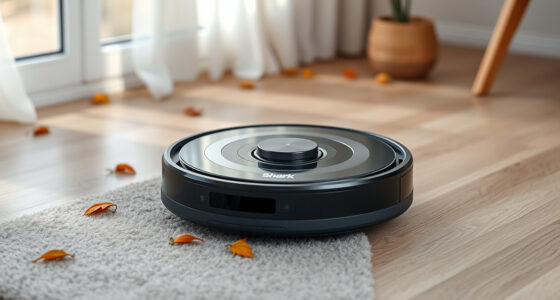
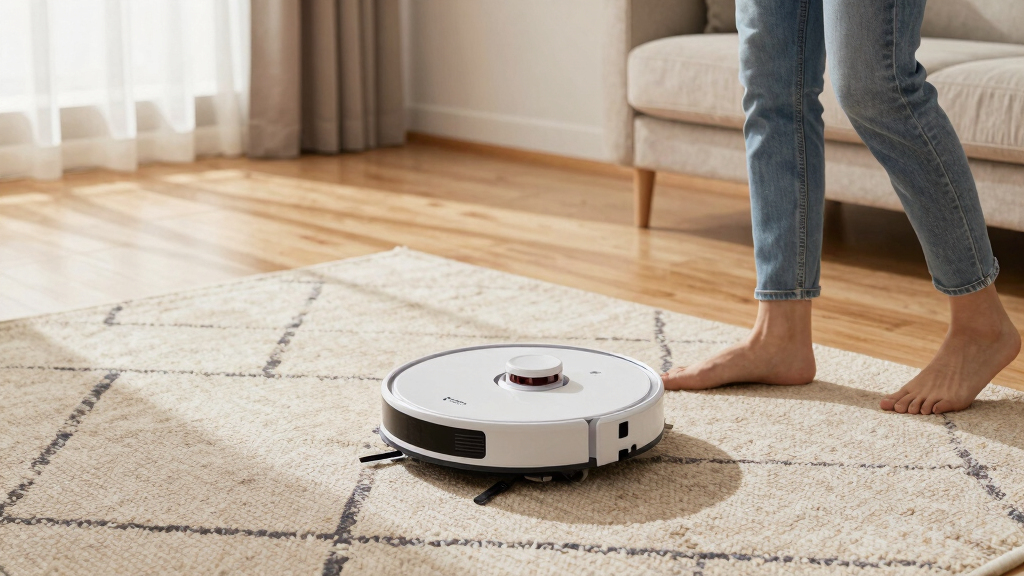
robot vacuum with advanced SLAM technology
As an affiliate, we earn on qualifying purchases.
As an affiliate, we earn on qualifying purchases.
Sensor Limitations That Cause Repeated Misses
Sensors are the robot’s eyes and ears. But they can struggle with certain surfaces, shadows, or obstacles. If a sensor gets dirty or misaligned, the vacuum’s ability to detect objects diminishes. For example, a dusty sensor might fail to recognize a dark rug or a narrow gap under furniture.
Furniture, clutter, or even the reflection from shiny floors can confuse sensors, leading the vacuum to avoid or overlook specific areas. Imagine a chair leg casting a shadow — the vacuum might interpret it as an obstacle and steer clear, leaving that spot dirty.
To minimize sensor issues, keep sensors clean and free of dust or hair. Regularly check sensor alignment, especially after moving furniture or cleaning.
As an affiliate, we earn on qualifying purchases.
Why Limited Battery Life Keeps Your Vacuum Repeating and Missing
Battery life often dictates how much ground your robot can cover in one run. Many models run for 60-120 minutes, which might not be enough for larger spaces. If the vacuum reaches the limit, it returns to recharge, sometimes before finishing the job.
This cycle can cause it to repeatedly clean certain areas and leave others untouched. For example, a vacuum might spend extra time on a particularly dirty spot, repeatedly returning to it, while neglecting far corners.
Choosing models with longer battery life or scheduling multiple cleaning sessions helps improve coverage. Also, clearing the area of obstacles can make cleaning more efficient.
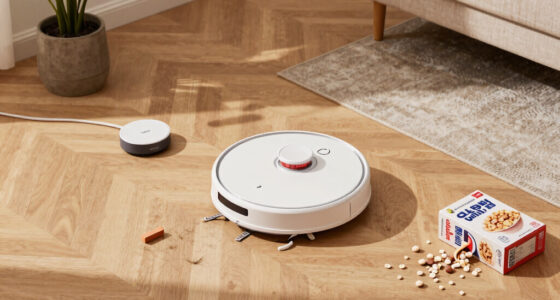
best robot vacuum for complex home layouts
As an affiliate, we earn on qualifying purchases.
As an affiliate, we earn on qualifying purchases.
Room Layout and Design: The Hidden Barriers
Complex room layouts and furniture placement make it tough for robot vacuums to clean thoroughly. Narrow gaps under furniture, tight corners, or irregular shapes can hide debris. For instance, a tight space between a sofa and wall might be unreachable, leaving dirt behind.
Narrow doorways or cluttered rooms can also cause the vacuum to avoid certain areas, especially if sensors detect obstacles or if the layout confuses the mapping process.
To improve coverage, rearrange furniture when possible, or create clear pathways. Regularly move or lift furniture to allow better access for your robot.
As an affiliate, we earn on qualifying purchases.
Latest Tech Improving How Robots Cover Every Inch
Advances like AI, multi-floor mapping, and smarter sensors are helping robots do a better job. Some models now remember your home’s layout, avoiding repeated missed spots. Others use obstacle detection that adapts in real time, steering clear of new clutter or furniture shifts.
For example, a high-end vacuum with advanced SLAM can map multiple floors, recognize high-traffic zones, and adjust its path accordingly. These improvements mean fewer missed spots and more efficient cleaning cycles.
However, no technology is perfect — blind spots still happen, especially in cluttered or complex homes.
Common Causes of Repeated Misses (And How to Fix Them)
Many robot vacuums keep missing the same spots because of limited mapping capabilities or sensor issues. Software glitches, dirt on sensors, or tight spaces can all lead to repeated misses.
For example, a vacuum might get stuck behind a chair leg repeatedly, or keep avoiding a shadowed corner. Cleaning sensors, resetting the map, or manually directing the vacuum can help.
Simple fixes include:
- Cleaning sensors regularly
- Rearranging furniture for easier access
- Updating firmware or software
- Creating virtual barriers for problem areas
Frequently Asked Questions
Why does my robot vacuum keep missing the same spots?
It’s usually due to limitations in its navigation system, sensor obstructions, or room layout challenges. Regular maintenance and better placement can help reduce repeated misses.How can I improve my robot vacuum’s coverage?
Keep sensors clean, rearrange furniture for easier access, and consider models with advanced mapping like SLAM or LiDAR. Also, schedule multiple runs for thorough cleaning.Do more expensive robot vacuums clean better and avoid missing spots?
Generally, yes. Higher-end models with sophisticated mapping and obstacle avoidance tend to cover more area and miss fewer spots, but no model is perfect. Maintenance still matters.Can I manually fix missed areas or improve navigation?
Yes. You can reposition furniture, create virtual barriers, or manually direct the vacuum to problem areas. Regularly resetting the map or updating firmware also helps.What features should I look for to prevent missed spots?
Prioritize models with LiDAR or SLAM mapping, obstacle detection, and multi-floor memory. Good sensors and software updates also boost coverage.Conclusion
Understanding why your robot vacuum keeps missing the same spots helps you take smarter steps to fix it. A little maintenance, smart planning, and choosing better tech can turn those missed patches into a thing of the past. Think of your vacuum as a diligent helper — it works best when you give it clear paths and keep it in good shape.
So next time you see a patch missed, remember: it’s not laziness — it’s limitations. Use that knowledge to improve your home’s cleaning game, and enjoy floors that truly sparkle.