TL;DR

Get cleaning gear delivered free with Prime
- Fast, free delivery on millions of items
- Prime Video, Amazon Music and more included
- Member-only deals all year
Robotic vacuum cleaners can keep up with everyday dust and crumbs by cleaning on a schedule, especially on clear hard floors. Mapping, obstacle avoidance, mopping, and self-emptying docks can make routines easier, but none removes every snag or maintenance task. Choose for your floors and layout, and keep a regular vacuum for stairs, upholstery, and deeper carpet cleaning.
A few crumbs under the kitchen table can seem to appear minutes after you sweep. A robotic vacuum cleaner can pick up that daily dust and grit while you make coffee, work, or take the dog out. The convenience is real, especially when you set a schedule and the robot has a clear route.
But a robot vacuum is better understood as a maintenance cleaner than a full replacement for your upright or canister vacuum. Results depend on floor type, layout, pets, and upkeep, and advertised features can mean less than you expect. This guide explains how robots navigate, what they handle well, where they struggle, and which costs and privacy details deserve a look before you buy.
Robotic vacuum cleaners have moved from simple bump-and-turn machines to connected home appliances that map rooms and clean on schedules. That progress makes them more capable, but your house still sets the terms: a loose cable, tall threshold, or fringed rug can stop a tidy route in its tracks.
Treat a robot vacuum as a regular maintenance cleaner; keep a conventional vacuum for stairs, upholstery, corners, and deep carpet work.
Match brush design, suction, and carpet compatibility to your actual rugs, especially if you have thick pile or shedding pets.
Use mapping and no-go zones to manage rooms and hazards, while remembering that obstacle recognition can still miss objects.
A self-emptying or mop-care dock reduces specific tasks, but check its space needs, replacement supplies, and remaining upkeep.
Review app, Wi-Fi, map-storage, and offline-control details before relying on connected features.
What a robot vacuum can keep clean between deeper cleans
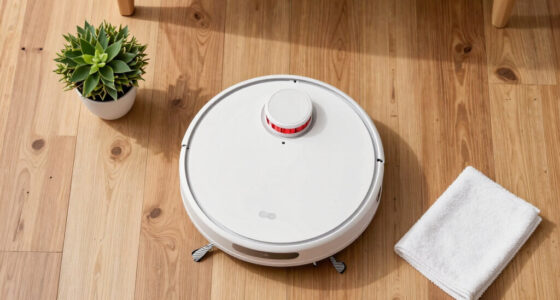
A robotic vacuum cleaner is a small floor-cleaning appliance that travels around your home, collecting routine dust and debris with brushes and suction. It is most useful for frequent maintenance cleaning on accessible floors; it usually cannot replace a conventional vacuum for stairs, upholstery, corners, or deep carpet cleaning. Think of it like a daily kitchen wipe-down: helpful for staying ahead of mess, but not a substitute for a full scrub.
That distinction matters because frequent pickup changes how clean a floor feels, even when each pass is less thorough than a manual vacuum. Fine grit and dry crumbs have less time to accumulate, so an often-run robot can keep open areas looking presentable. But its low profile and fixed brush path limit where it can reach, while its smaller bin and battery constrain how much it can collect in one run. Edges, crowded corners, stairs, and deep carpet may still need a person and a conventional vacuum.
Picture a weekday morning after breakfast: crumbs dot the floor beneath the table, and paw prints cross the hallway. A scheduled robot can make those surfaces look less messy by lunchtime, while a weekly pass with a regular vacuum tackles the sofa cushions and stair treads. That division of work is practical because the robot handles repeatable open-floor chores; the manual vacuum handles places that require reaching, lifting, or more concentrated cleaning.
Before buying, name the cleaning task you want the robot to take off your list. If it is daily crumbs and dust, a basic model may suit you. If your main problem is deep cleaning a thick-pile rug, check how a candidate handles that carpet and keep your regular vacuum in the plan. The closer the job matches the robot’s reach and cleaning head, the more likely its convenience will outweigh the limits of its bin, battery, and coverage.
Products Worth Considering

Dyson V8 Cyclone Cordless Vacuum

Levoit Core 600S-P Smart Air Purifier for Large Rooms

Dyson V15 Detect Cordless Vacuum
As an affiliate, we earn on qualifying purchases.
How room mapping changes a cleaning run
Room mapping helps a robot vacuum record a floor plan and clean in organized routes instead of relying on random bumps and turns. That map can let you choose rooms, set schedules, and mark no-go zones, such as the area where charging cables curl beside your desk. Mapping improves control and coverage, but it requires setup and may involve camera or location data, depending on the model.
Basic robots often travel less predictably, so they may cover a room in uneven passes. More advanced models use lidar, cameras, or other sensors to build a map and follow more systematic routes. An organized route matters because the robot can spend more of its battery cleaning new floor instead of repeatedly crossing the same patch. A map can also make targeted cleaning practical: you can send it to the kitchen after dinner without running it through every room.
Imagine a narrow apartment where a dining chair blocks the simplest route to the kitchen. A mapped robot may learn a repeatable path around the table, while a basic model might nudge chair legs and spend more time retracing its route. The difference may mean more predictable coverage and fewer missed areas, though it depends on the room and how furniture is arranged. Maps are not magic: a moved chair or a door left closed can change what the robot can reach on a given run.
When comparing features, ask what the app actually lets you do. Can you name rooms or set restricted areas? Does the model need Wi-Fi for scheduled cleaning, or can you start a basic run with a button? Those details determine whether mapping saves time in your routine or adds setup and app dependence. Check the manufacturer’s details for both setup and privacy, including whether maps stay on the device or are stored in the cloud; a camera-based system may also collect different information from one that maps with lidar.
Which floors and household messes robots handle best
Robotic vacuum cleaners generally handle hard floors and routine dust well, while carpet pickup depends on the carpet’s height, the brush design, suction, and how the vacuum adjusts between surfaces. A low-pile entry mat may be easy for one model and troublesome for another. Rugs with long fringe, thick pile, or very dark surfaces can also cause problems for some machines.
On tile or sealed wood, a robot can sweep up grit and crumbs that collect like sand at the edge of a beach. Hard flooring also offers little resistance to the robot’s brush, so the machine can collect loose debris without needing to work it out of fibers. On carpet, the brush has to reach into the pile, which can take more effort and battery; a robot that does not adjust well may leave debris behind or struggle to cross between surfaces. Look for manufacturer information about floor compatibility, and consider your actual surfaces rather than choosing on a single headline suction number.
Pet hair adds another variable. Main rollers and side brushes can collect shed fur, but long strands may wrap around the roller, and a small dustbin can fill quickly in a home with a heavy-shedding dog. That means a robot can reduce loose hair on the floor while still creating a recurring job: removing tangled fur and emptying the bin. Tangle-resistant brush designs and brushes you can remove easily may reduce the time spent cutting hair free. They do not make maintenance disappear.
Suppose your living room has a low rug and your cat leaves fur along the sofa edge. The robot might keep the open floor presentable between manual cleans, but it may not reach hair tucked beneath the sofa or deep in the rug, and you may still need to check the rug’s fringe and clear hair from the brush. If a model has a carpet-detection feature, check what the manufacturer says it does and test the result against your carpet type during the return period. A feature is only useful if it responds well to the transitions and materials in your home.
How to choose features that match your home
Choose a robot vacuum by matching its route planning, floor performance, obstacle handling, dock, and app features to your home. A long feature list does not guarantee a better fit: what helps in a pet-filled bungalow may add little in a small flat with open hardwood floors. Start with the rooms and messes you want it to handle, then work through these practical checks.
- List your surfaces. Note hard floors, carpet height, rugs, and any fringed mats that might catch a brush.
- Check the route. Measure high thresholds and identify tight spots, dangling cords, and areas beneath furniture where the robot might get stuck.
- Match the navigation. Consider mapping and room controls if you want repeatable schedules or restricted zones; check whether a simpler model suits a small, open floor.
- Decide how much dock help you need. A dock may recharge the robot, empty its bin, refill water, or wash and dry mop pads, but each added task can mean more space, cost, and supplies.
- Read the app and upkeep details. Check what works offline, what data the app collects, and which bags, filters, brushes, mop pads, or cleaning solutions the manufacturer recommends.
For example, if you have a dog and mostly hard floors, a model with a brush that is easy to remove and a dock that empties the bin may save more hassle than a mop function you rarely use. If your home has several thick rugs and tight door thresholds, prioritize floor compatibility and navigation before paying extra for a complex dock.
What mopping and self-emptying docks really take off your list
A combined vacuum-and-mop robot can vacuum first and pass a damp pad over hard floors, while a self-emptying dock can transfer debris from the robot’s small bin into a larger container. These features cut down some repetitive chores, but they do not turn the machine into a hands-off cleaner. Mop functions generally suit light surface cleaning, not scrubbing dried-on stains, and docks still need attention.
Think of a robot mop as a damp cloth gliding over the kitchen after the sticky juice has already been wiped up. It may refresh light dust or faint marks, depending on the model, but it is not a replacement for treating a dried splash or greasy cooking residue. The practical benefit is less frequent light wiping across accessible floors; the tradeoff is that you need to prepare the floor and keep the pad clean, or the robot may drag collected dirt along its route. Check whether the machine can avoid carpet while mopping and whether its maker specifies a certain water or cleaning solution.
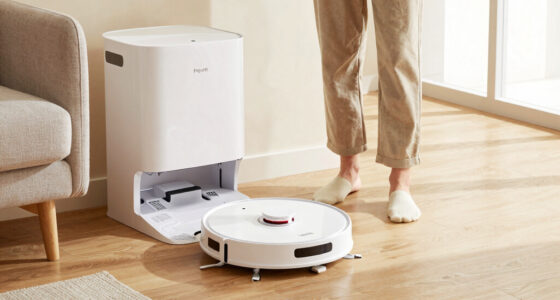
A self-emptying station can be welcome when a robot runs frequently in a home with pets. Moving debris to a larger container means the robot is less likely to need emptying after every short run, which can make a schedule easier to maintain. In exchange, you need space for the station and may need to buy replacement bags; fine dust can also collect in parts that still require occasional cleaning. Some models refill water or wash and dry mop pads, reducing hands-on steps while adding tanks, pads, and cleaning tasks of their own.
Picture a busy kitchen where a robot runs after dinner. The dock empties dust into its bag, but a sauce spot still needs a hand and a rinse at the sink. Before choosing a “self-cleaning” model, check the maker’s description of exactly which tasks the dock automates, how often its containers and pads need attention, and which supplies you will need to replace. The value comes from reducing chores you do often enough to matter, not from the feature name alone.
How to keep a robot from getting stuck or losing its clean
A robot vacuum is less likely to stop mid-run when you clear small objects, loose cords, and other snags from its route. Sensors and obstacle recognition can help some models spot shoes, cables, or pet waste, but results vary, so obstacle avoidance is not a guarantee. A clear floor and a sensible schedule still do much of the work.
Before a run, pick up the phone charger by the sofa, tuck away a child’s building blocks, and check whether a rug’s fringe can snag on a brush. If you have a mapped model, set a restricted area around a cable-heavy desk. If it has no-go zones, treat them as useful boundaries, then check the room when you change the furniture or move the robot to a new area.
Battery runtime alone does not tell you whether a robot can finish your home. Route length, suction setting, floor plan, and its ability to recharge and resume all matter. A robot may clean a large home in sections if it can return to its dock and continue later; check the manufacturer’s details instead of assuming that one quoted runtime covers every floor plan.
For upkeep, regularly check the brushes, filter, sensors, wheels, and bin. Hair wound around a roller can slow cleaning, and dusty sensors can interfere with navigation. If you have a combined mop model, wash or replace the pad and handle its water tank as the manufacturer directs. A dock may cut down on daily emptying, but a quick weekly check can prevent a small tangle from becoming a stalled run.
When a robot vacuum is worth the space and upkeep
A robot vacuum is most likely to be worth it when it can handle frequent, repeatable cleaning in the parts of your home that collect everyday dust. That may mean more value in a pet household with mostly clear hard floors than in a home with many stairs, thick rugs, and cables across the floor. Its usefulness depends on how much routine cleaning it saves and whether its upkeep fits your habits.
Accessibility can be another reason to consider one. If carrying or operating a traditional vacuum is difficult, a scheduled robot may reduce how often you need to do that work. It can still struggle with thresholds, clutter, and stairs, and you may need to lift it or clean its parts. Check the controls and maintenance tasks against what you can comfortably manage.
There are running costs beyond the purchase price: bags, filters, brushes, mop pads, and cleaning solution may need replacing, depending on the model. Connected features can also involve app permissions, cloud map storage, or continued software support, so read the maker’s privacy information before enabling features that use a camera or save floor plans.
Picture a small, mostly hardwood home where one person works long hours and a cat sheds year-round. A robot that runs on a schedule may keep the visible fur under control, while a regular vacuum remains available for stairs and upholstery. If a device’s app features matter to you, check what cleaning controls remain available without Wi-Fi and what happens if app support changes.
Frequently Asked Questions
Can a robotic vacuum cleaner replace a regular vacuum?
Usually, no. A robot can help maintain open floors between deeper cleans, but it generally cannot handle stairs, upholstery, tight corners, or every carpet as well as a conventional vacuum. Many homes benefit from using both for different jobs.
Do robot vacuums work on carpets and rugs?
Many clean low- or medium-pile carpet, but results depend on suction, brush design, and carpet height. Thick rugs, fringe, and some very dark surfaces can challenge particular models, so check the manufacturer’s compatibility guidance for your floors.
Are robot vacuums good for pet hair?
They can help collect loose hair between deeper cleans, especially on accessible hard floors. Hair may wrap around the roller or fill a small bin, so brush access, bin capacity, and the dock’s emptying system matter. Plan to check and clear the brushes regularly.
Do robot vacuum cleaners need Wi-Fi?
It depends on the model. Some can start a basic cleaning run without Wi-Fi, while mapping, app scheduling, remote control, or voice-assistant features may need a connection. Check the maker’s offline instructions before buying if you want connected features to be optional.
How often should a robot vacuum run?
Run frequency depends on foot traffic, pets, floors, and how quickly visible debris builds up. Frequent short runs can help keep a clear hard floor tidy, but the robot still needs an unobstructed route and time to finish. Follow the model’s operating guidance.
Do mapping features create a privacy concern?
They can, depending on the robot and its data practices. Before enabling map or camera features, check the manufacturer’s privacy policy, app permissions, map-storage options, and instructions for deleting saved data.
Conclusion
Pick a robot vacuum for the floors it can reach and the mess it can handle on an ordinary day. If you want help with daily dust, crumbs, or pet hair, match the navigation, brush, and dock to your home, then keep a regular vacuum for the jobs the robot cannot reach.
Give it a clear route, check its brushes and filters, and let it earn its keep one quiet lap at a time.