
TL;DR

Get cleaning gear delivered free — and shop member deals
- Fast, free delivery on millions of items
- Access to Prime Big Deal Days deals on October 6–7
- Prime Video, Amazon Music and more included
Robot vacuums get stuck mainly due to clutter, limited sensors, and complex floor layouts. Upgrading to smarter models and tidying your space can cut down on those frustrating jams and falls.
Ever watched your robot vacuum spin in circles, bump into the same chair, or refuse to move forward? It’s frustrating, especially when you’ve cleared an entire room but still find it stuck on a tiny rug or cable. The good news is, most of these issues boil down to common causes—and many are fixable.
This guide will walk you through why your robot vacuum keeps getting stuck, what recent tech is doing to solve these problems, and simple steps you can take today to make your vacuum smarter and your space more friendly. No hype, just practical advice you can trust.
Clutter and loose cables are the top causes of robot vacuums getting stuck; tidy up regularly.
Upgrading your vacuum to one with advanced sensors and mapping drastically cuts down on jams.
Cleaning sensors and maintaining your device keeps obstacle detection sharp and effective.
Designating no-go zones and securing cords prevents common sticking points.
Regular environment tweaks and firmware updates make your robot smarter and more autonomous.
Why Does My Robot Vacuum Keep Bumping Into Things?
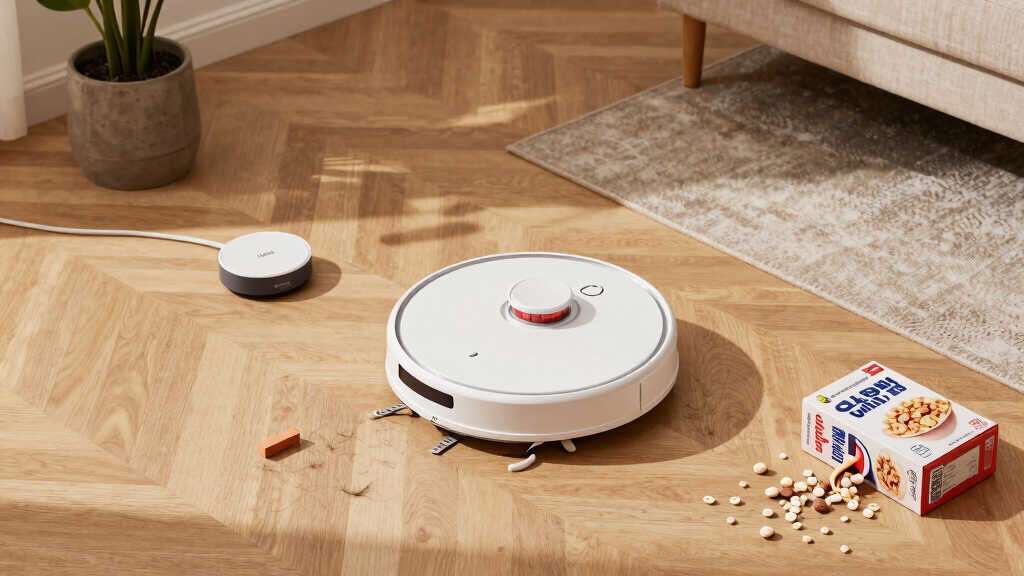
Robot vacuums rely on sensors to navigate, but these sensors have limitations. If they’re dirty or blocked, your vacuum can’t recognize obstacles in time. Imagine a robot bumping into a pair of shoes you didn’t notice on the floor or a tangled cable.
Clutter like tiny objects, cords, or rugs with fringes often trap or confuse the robot. It’s like trying to navigate a maze with a blindfold. Regularly clearing the floor and securing loose items can help prevent these bumps.
For example, if your vacuum keeps hitting the same corner, it might be because a sock is tucked underneath furniture or a cable isn’t secured. Cleaning the sensors monthly and tidying up reduces these incidents significantly.
Understanding why these bumps happen is crucial because repeated collisions can damage your furniture, cause the vacuum to waste battery life, and reduce cleaning efficiency. When sensors are dirty or obstacles are present, the robot’s ability to detect and navigate smoothly diminishes, leading to frustration and incomplete cleaning cycles. Regular maintenance and environment management are investments in prolonging your vacuum’s lifespan and ensuring it performs optimally.
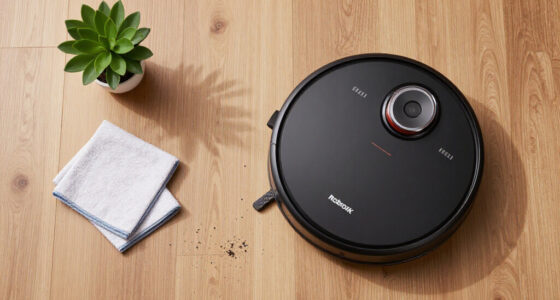
robot vacuum with advanced sensors
As an affiliate, we earn on qualifying purchases.
As an affiliate, we earn on qualifying purchases.
How Complex Floor Plans Confuse Your Robot—And How to Fix Them
Your home’s layout can trip up even the smartest robot vacuum. Narrow hallways, lots of furniture, or multiple rooms without clear boundaries create a navigation puzzle. Think of it like trying to find your way through a dense forest with no map.
Some models get stuck in tight spaces or repeatedly circle around the same furniture. Upgrading to a model with mapping technology helps create a virtual map of your home, guiding the robot efficiently and avoiding trouble spots.
For example, a robot with a good mapping feature can remember where the charging dock is and plan a route around obstacles, saving time and avoiding jams. You can also set no-go zones via the app to keep it out of known problem areas.
Understanding how your home’s layout influences navigation is key because complex or cluttered spaces can lead to inefficient cleaning, missed spots, or repeated jams. Advanced mapping technology reduces guesswork, allowing the robot to plan routes intelligently, which not only prevents getting stuck but also ensures a more thorough clean. Recognizing these factors enables you to optimize your environment and select the right model for your space’s specific challenges.
As an affiliate, we earn on qualifying purchases.
Sensor Limitations and How to Improve Them
Robot vacuums use sensors to detect obstacles, drop-offs, and stairs. But these sensors aren’t perfect. Dust, hair, or grime on sensors can impair their function. Imagine trying to see clearly through fogged glasses.
Dirty sensors cause the vacuum to miss obstacles or fail to recognize stairs, leading to falls or getting stuck. Regularly cleaning sensors with a soft cloth keeps them in top shape.
For instance, a quick wipe of the cliff sensors near stairs can prevent the vacuum from falling or stopping abruptly. Upgrading to models with more advanced sensors or AI can also improve obstacle detection significantly.
Understanding the limitations of sensors is important because even the best technology can be compromised by simple maintenance issues like dirt or grime. Proper cleaning ensures sensors function accurately, reducing false negatives that cause the vacuum to miss obstacles or misjudge drop-offs. Investing in models with advanced sensors or AI can further decrease these problems, but regular upkeep remains essential. This proactive approach helps prevent costly accidents and ensures your vacuum navigates safely and effectively.
As an affiliate, we earn on qualifying purchases.
The Role of Environment and User Habits in Getting Stuck
Your habits and environment play a big role. Cables, small objects, and uneven surfaces are common culprits. Picture a vacuum trying to climb over a thick rug or snagging on a stray shoelace.
To prevent this, clear clutter before running the vacuum. Secure or hide cables, pick up small toys, and flatten uneven rugs. This gives the robot a clear path and reduces the chance of jams.
For example, designating a ‘no-clean’ zone around cables or cluttered corners can save you from constant stuck alerts and manual rescues.
Understanding the impact of user behavior and environment setup is crucial because even the smartest robot is limited by the space it has to navigate. Small changes like tidying up or setting boundaries can significantly reduce the frequency of getting stuck, saving time and frustration. Developing habits such as regular decluttering and planning cleaning routes around problem areas effectively enhances your robot’s performance and longevity.
robot vacuum cord management tools
As an affiliate, we earn on qualifying purchases.
As an affiliate, we earn on qualifying purchases.
What’s New in Robot Vacuum Tech? Can It Help You Avoid Getting Stuck?
Recent models come with better sensors, smarter AI, and mapping features. These upgrades help the robot recognize obstacles faster and plan paths around tricky spots.
Some models now feature self-rescue, where they detect they’re stuck, try to free themselves, or send alerts to your phone. Others include customizable no-go zones, making it easier to tell the robot where not to go.
For instance, a robot with LIDAR mapping can avoid a cluttered corner entirely, saving you hassle and time. These tech improvements mean fewer stuck moments and more efficient cleaning.
Understanding these advancements is important because they directly impact your cleaning experience. Smarter sensors and AI reduce the likelihood of jams, but they also require proper setup and regular updates. Knowing what features to look for helps you choose a model that aligns with your home’s specific needs, leading to a more reliable and autonomous cleaning routine.
Comparison Table: Old vs. New Robot Vacuums’ Ability to Avoid Getting Stuck
| Feature | Old Models | New Models |
|---|---|---|
| Sensors | Basic bumpers, limited obstacle detection | Advanced sensors, AI-powered recognition |
| Mapping | None or simple | Detailed mapping with user controls |
| Self-Rescue | Rare or none | Many feature self-detection and recovery |
| Clutter Handling | Limited — prone to jams | Better obstacle avoidance reduces jams |
| Customization | Minimal | Set virtual boundaries, no-go zones |
Simple Steps to Stop Your Vacuum From Getting Stuck
- Clear your floors: pick up small objects, loose cables, and clutter.
- Secure cables and cords: use clips or hide them behind furniture.
- Create no-go zones: use the app to mark problem areas.
- Clean sensors monthly: wipe away dust or hair that can block detection.
- Update firmware: keep your vacuum’s software current for smarter navigation.
Think of it like giving your robot a smoother, obstacle-free highway. Regular maintenance and environment tweaks go a long way.
Frequently Asked Questions
Why does my robot vacuum keep getting stuck in the same spot?
It’s usually because of obstacles like cables, clutter, or limited sensors failing to detect objects. Regular cleaning of sensors and clearing clutter can prevent repeat jams.How can I prevent my robot vacuum from getting stuck in the future?
Clear your floors before cleaning, secure loose cables, set no-go zones in the app, and upgrade to a model with better mapping and obstacle detection features.What should I do if my vacuum gets stuck often even after cleaning and environment tweaks?
Try updating the firmware, clean the sensors again, or consider replacing it with a smarter model. Sometimes, environmental changes are the best fix.Are newer robot vacuums really better at avoiding getting stuck?
Yes, recent models incorporate advanced sensors, AI, and mapping tech that greatly improve obstacle recognition and navigation, reducing stuck incidents.Can I customize my robot vacuum’s cleaning path to avoid trouble spots?
Many models allow setting virtual boundaries or no-go zones through an app, helping you avoid known problem areas and keep your vacuum moving freely.Conclusion
Keeping your robot vacuum from getting stuck is mainly about understanding its limits and adjusting your space accordingly. A tidy, obstacle-free environment paired with a smarter, well-maintained vacuum means fewer jams and more effortless cleaning. Think of your space as the map your robot needs to navigate smoothly—keep it clear, and it’ll do the rest.
Next time your vacuum hesitates, remember: a little prep and the right tech can turn frustration into a seamless cleaning dance.
Halloween Picks
halloween
As an affiliate, we earn on qualifying purchases.